How To View Upcoming Social Media Posts
1. Log in to your PatientSites Web Editor.
2. From the main navigation menu on top, click on Social.

3. Click on Social Media Calendar then click Upcoming Feeds.
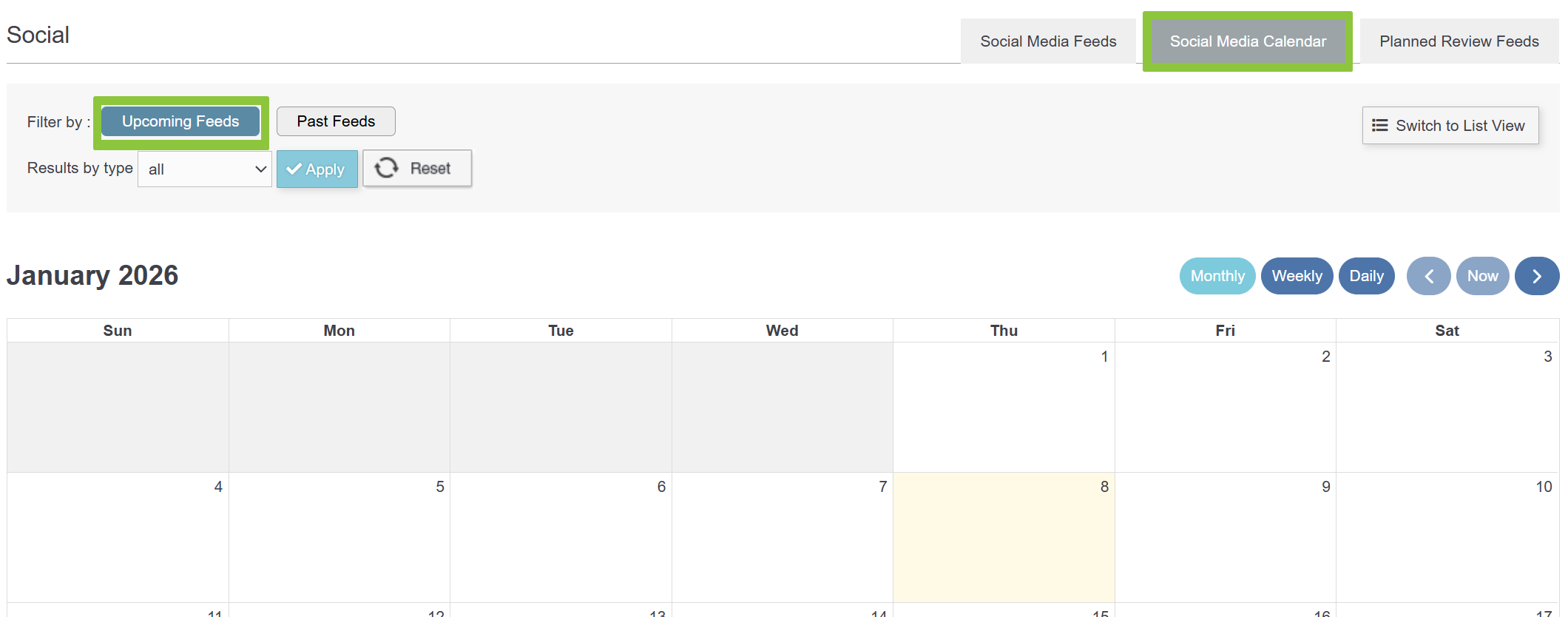
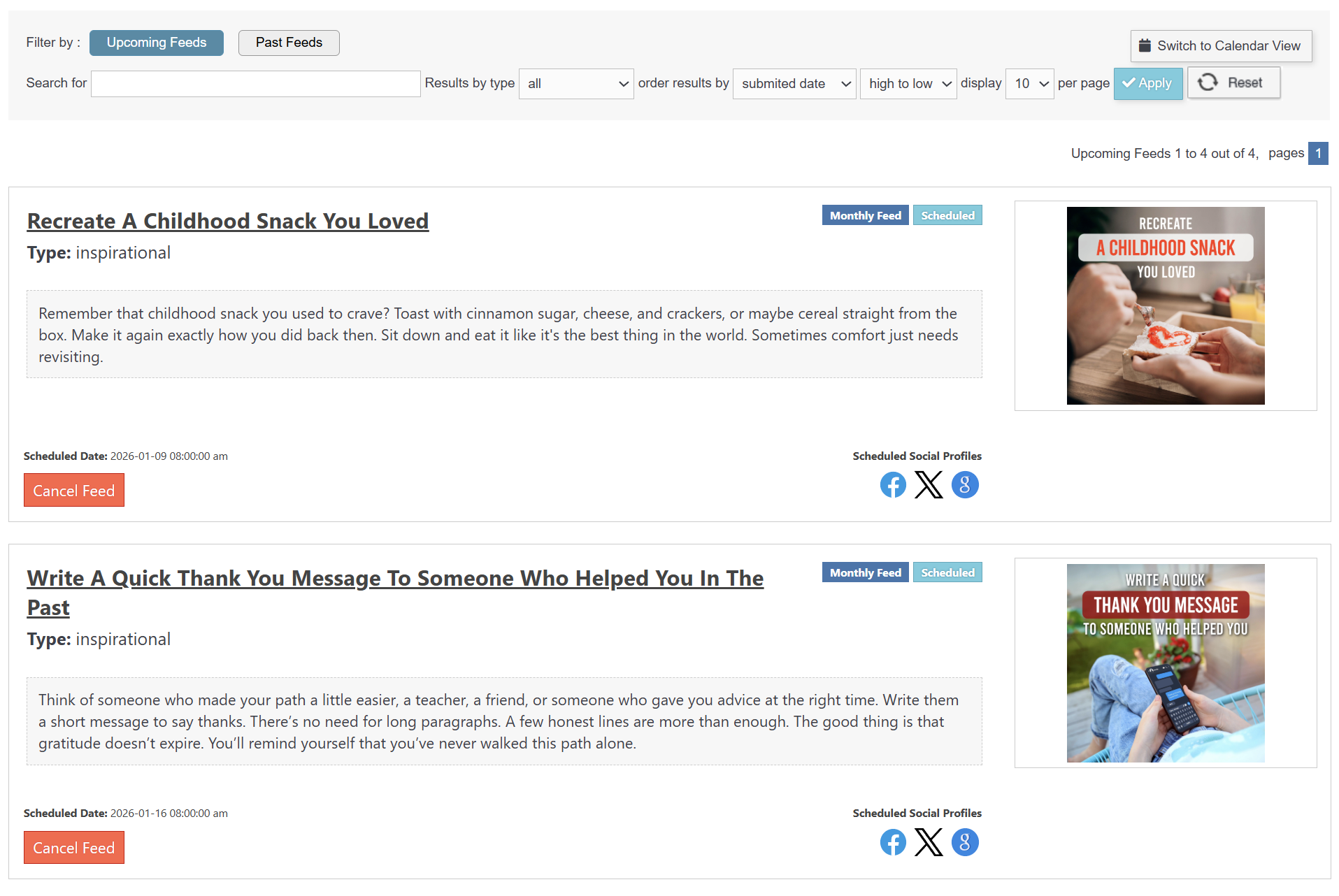
4. Your scheduled for the future can be viewed here in Calendar View, OR you can click the Switch to List View button and see all the future posts listed with their contents visible.

5. Below is an example of the List View: