How to use Blog AI to generate topic ideas and outlines
1) Log in to PatientSites Web Editor at client.patientsites.com

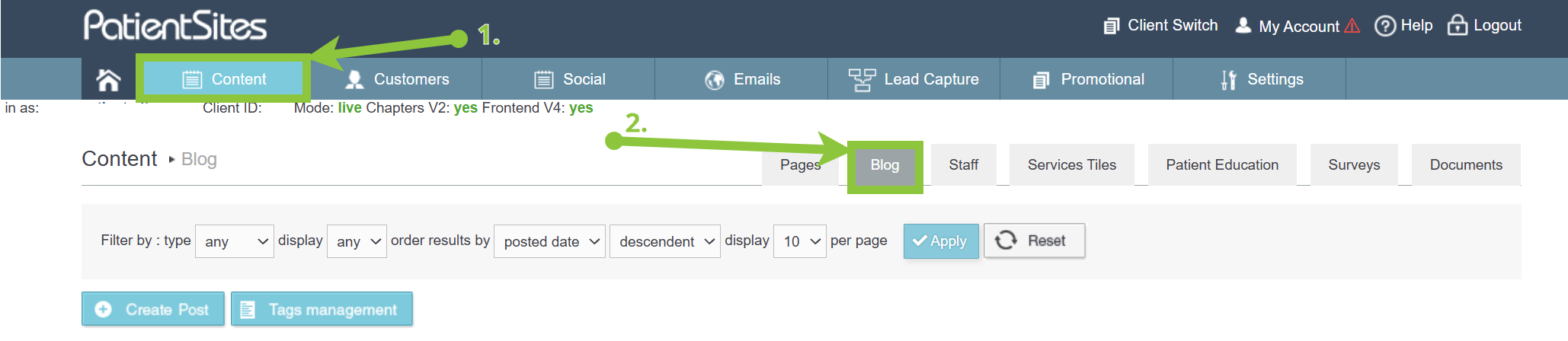
2) Head over to Content in the main menu and click on the Blog tab.
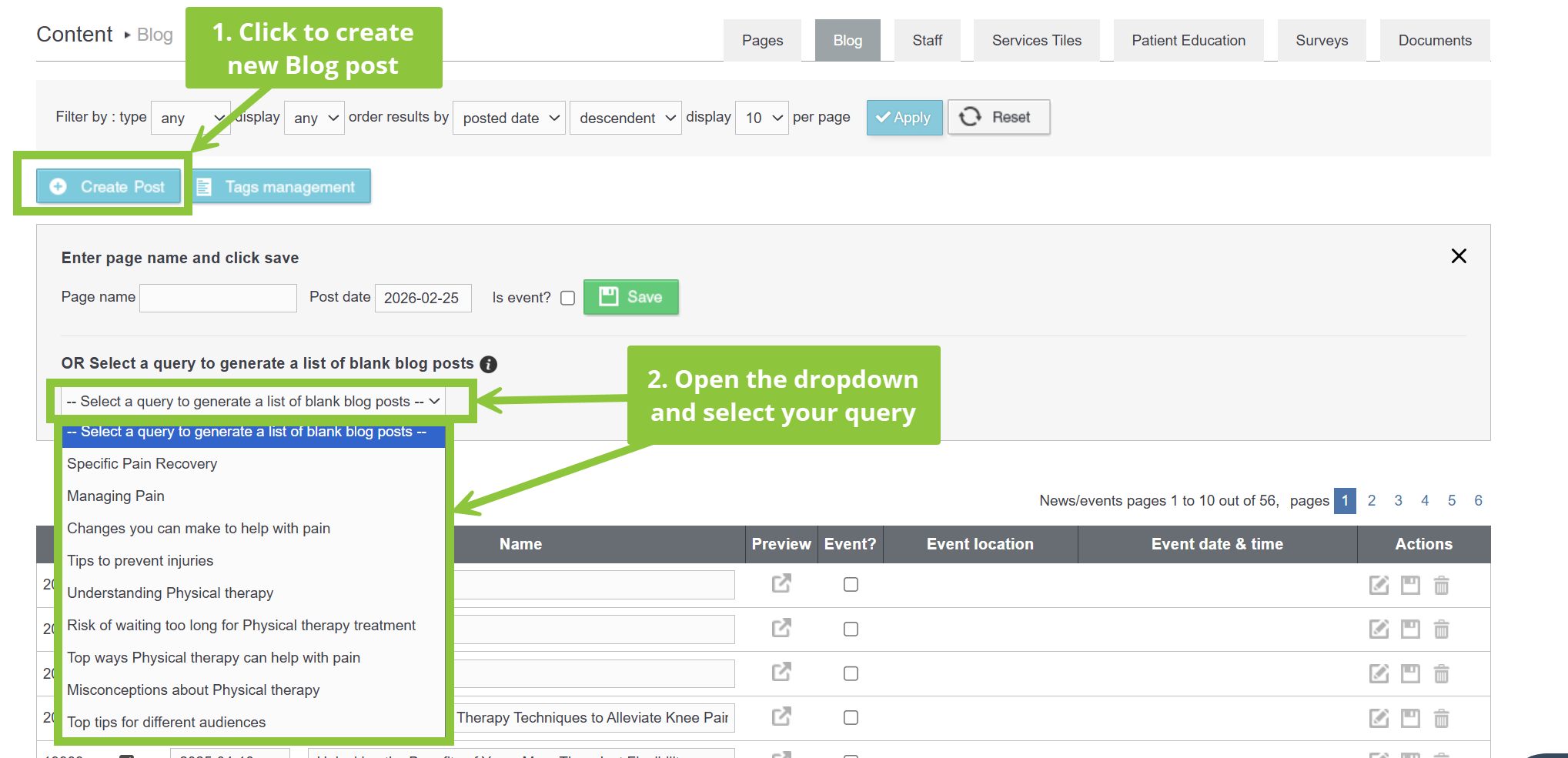
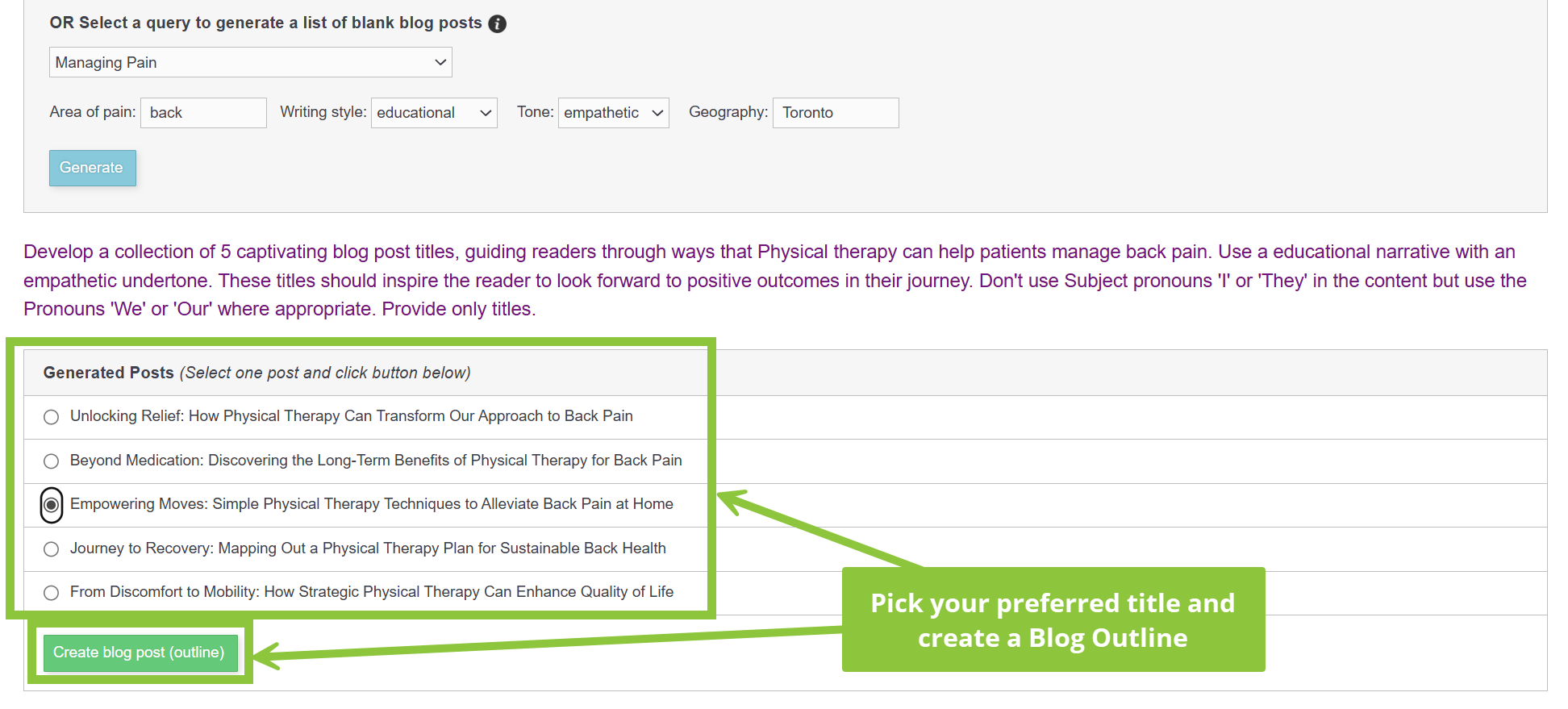
3) Click the blue Create Post button to open the Blog options. In the lower section, open the “Select a query to generate a list of blank blog posts” dropdown and choose your query.
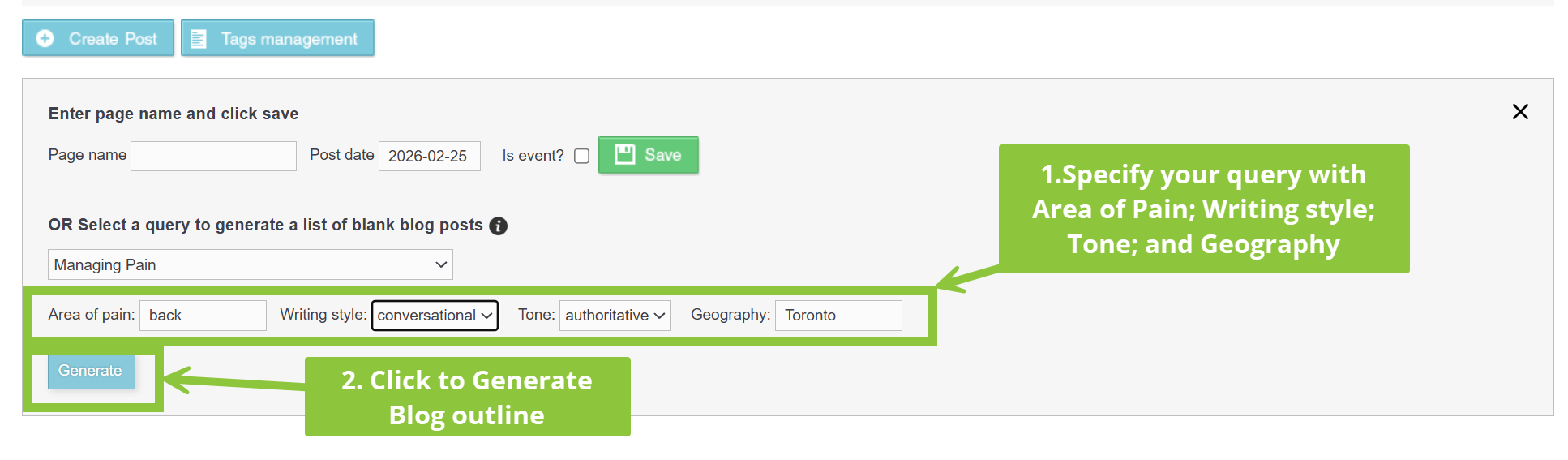
4) After choosing a query, specify the Blog outline:
- Area of pain you want the blog to focus on
- Writing style: Conversational, descriptive, educational, informative, instructive, persuasive
- Tone: authoritative, balanced, casual, empathetic, humorous, informative, inspirational, optimistic, reflective, thoughtful
- Choose a geography to focus on, ie. city or area you serve
And finally, click Generate to create a Blog outline with your chosen query and specifications.
4) After clicking Generate, you will see the query summary and 5 optional titles for your new Blog outline.
Select the one you prefer and click the green Create blog post (outline) button.
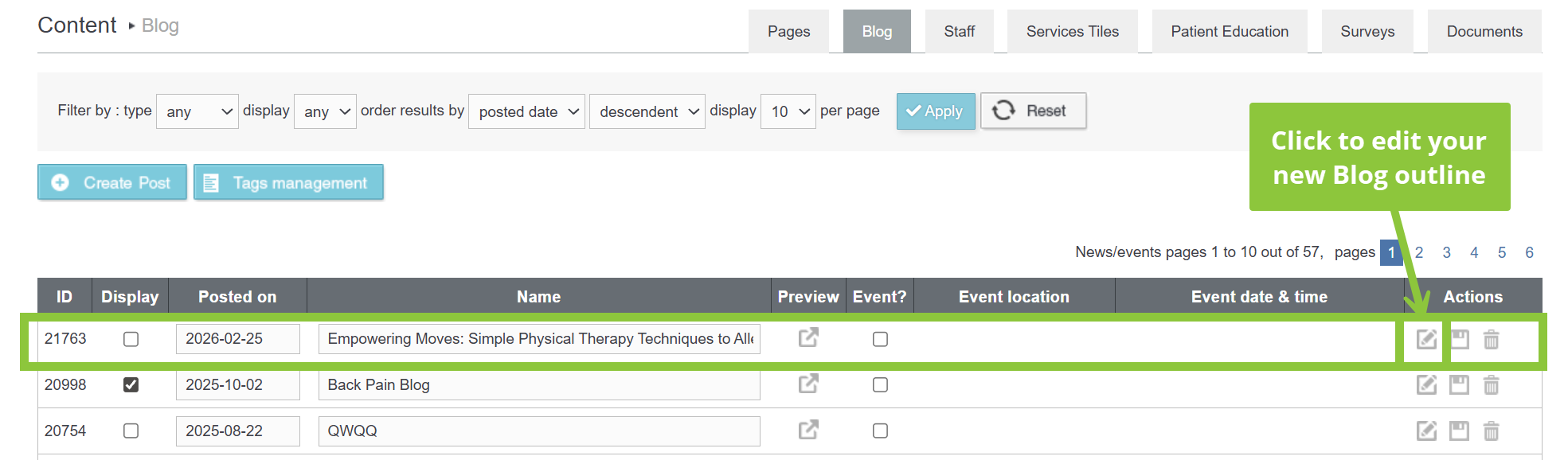
5) Your new blog will appear at the top of the Blog list. To edit your new blog outline, click the Pencil and Paper icon at the end of the row, under Actions.
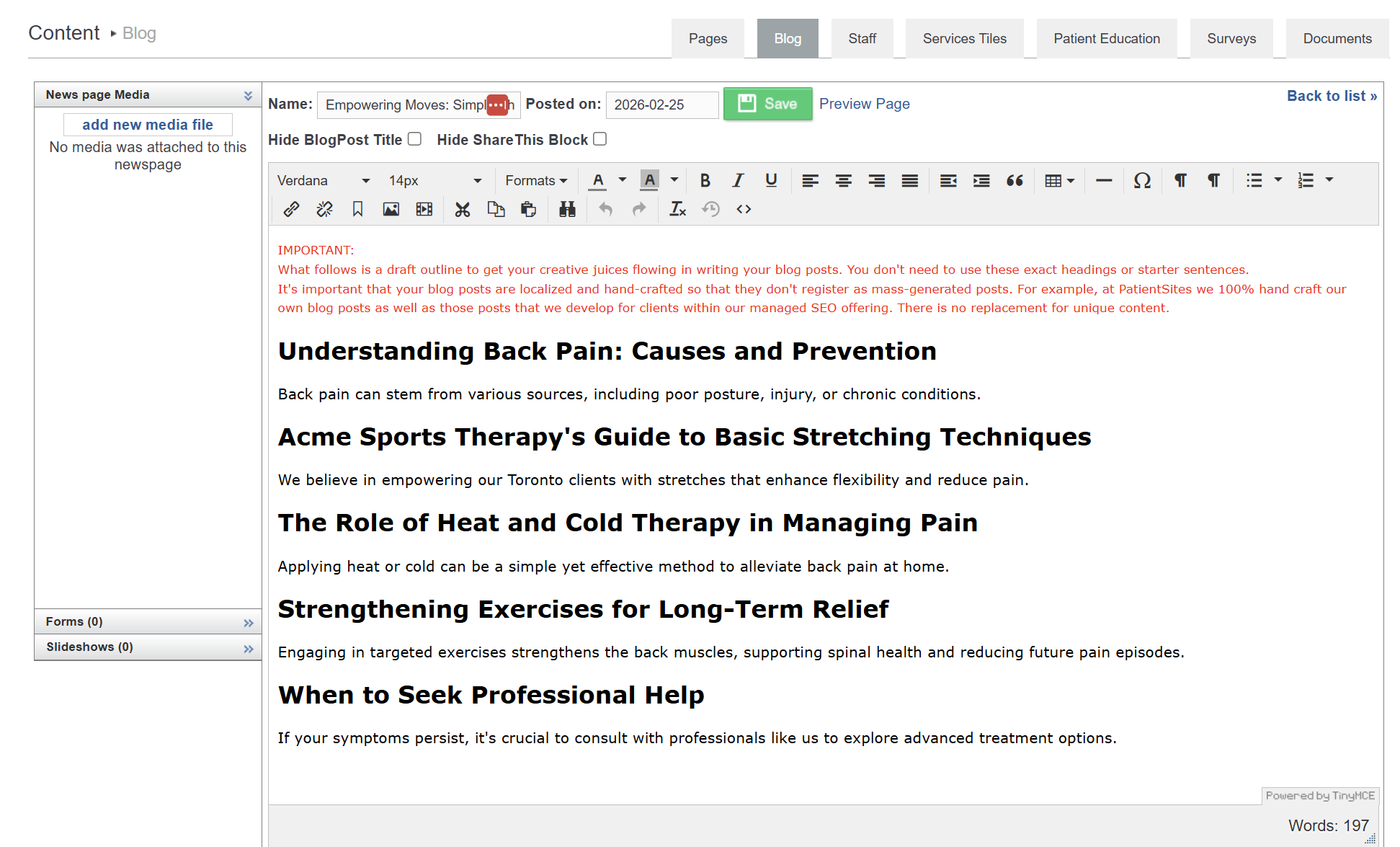
6) In the Blog editor you will see an outline with headings and short descriptions, which you will be able to add more content to, add images, style to your preference, etc. and at the end make sure to Save.