How To Change Your Contact Form Email Recipient
To set up your Contact Form Email Recipient email address follow the below steps.
1) Log in to PatientSites Web Editor at client.patientsites.com

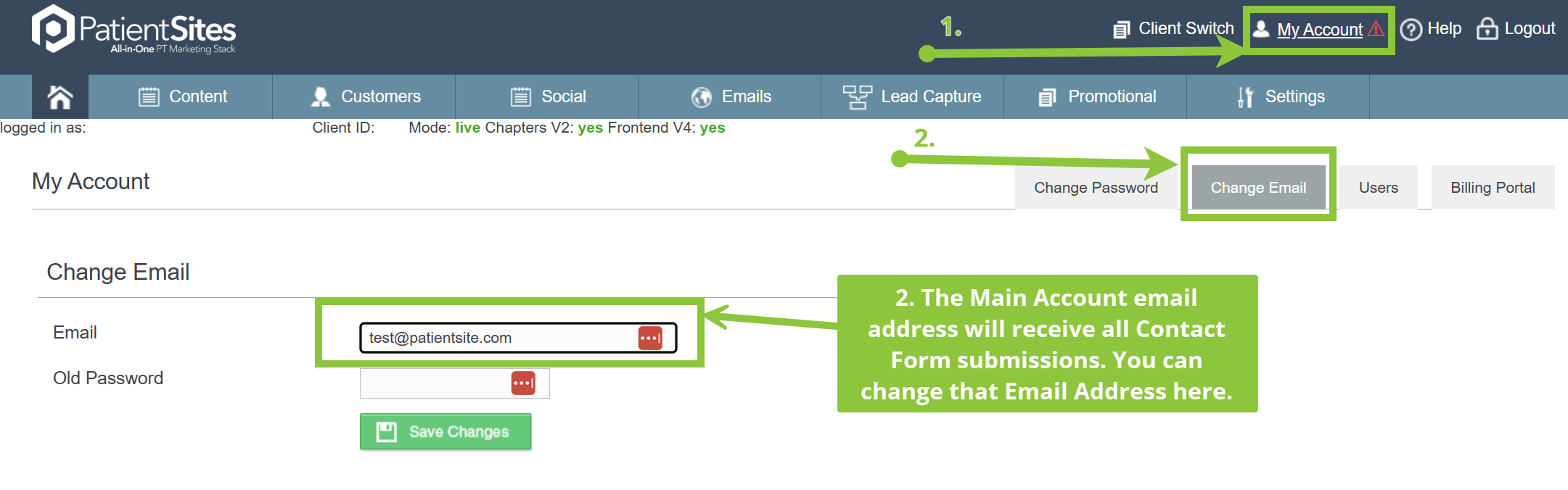
2) Head to Main Account, then click the Change Email submenu item.
The email address that you have set as your Main Account Email will receive all Contact Form submission emails. You can change that email address here.
Click Save Changes once you're done.
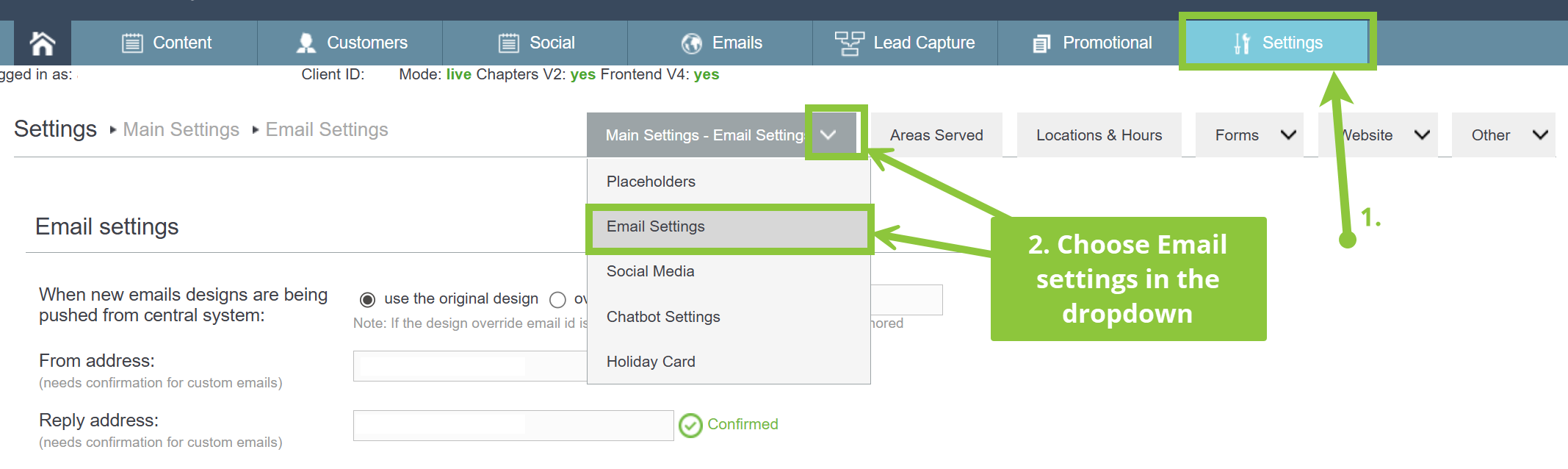
Alternatively, you can also add additional email addresses, separated by a comma (,), to be CC'd on Contact Form Submissions under the Main Settings -> Email Settings submenu.
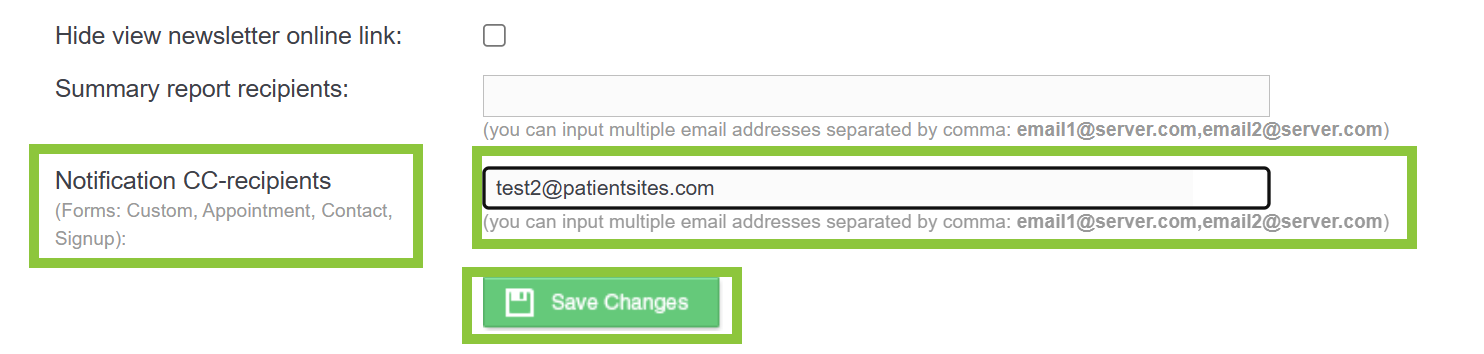
Then scroll down to the "Notification CC-recipients" entry, and add as many email addresses as you wish to be copied on Appointment forms, Contact forms, Signup forms, and Custom forms. Then Save Changes.